Where to Find Your Serial Number or QR Code
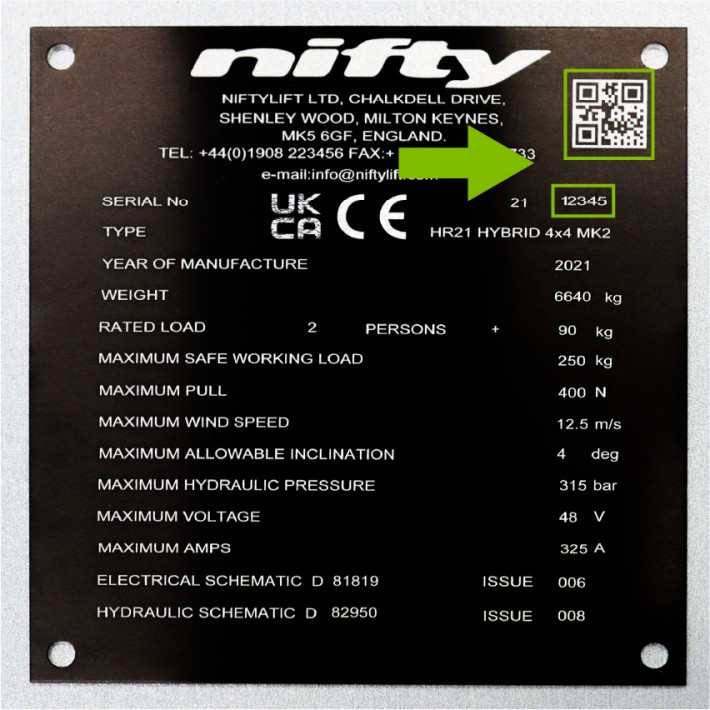
To access the correct manuals, technical drawings, and support content for your Niftylift machine, you’ll need your machine’s identification details. These are shown on the serial plate, which is fitted to every Niftylift machine.
- Serial number: The serial number is clearly displayed on the serial plate. This number is essential for identifying your machine and retrieving the correct documentation.
- QR code: If you’re using a mobile device with a camera, you can scan the QR code, located just above the serial number, for instant access to machine information and support.
The illustration clearly marks the location of the serial plate, making it easy to locate both the serial number and QR code.
Please note:
- You must be logged in to access technical drawings.
- When entering a serial number, there’s no need to include the prefix. Simply enter the numbers that follow it (for example, in serial number 21-12345, you only need to enter 12345).